Business Card Mockup Bundle Vol 1: A Comprehensive Guide to Professional Design
In today’s competitive business world, first impressions matter. One of the most effective tools for making a strong impression is a well-designed business card. However, showcasing your design in a professional manner can be challenging without the right tools. This is where the Business Card Mockup Bundle Vol 1 comes into play. With 10 different mockup templates in one package, this bundle offers a powerful solution for designers, entrepreneurs, and professionals who want to present their work with style and precision.
What Is a Business Card Mockup?
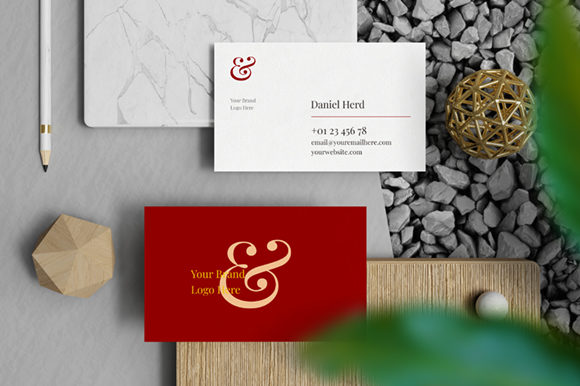
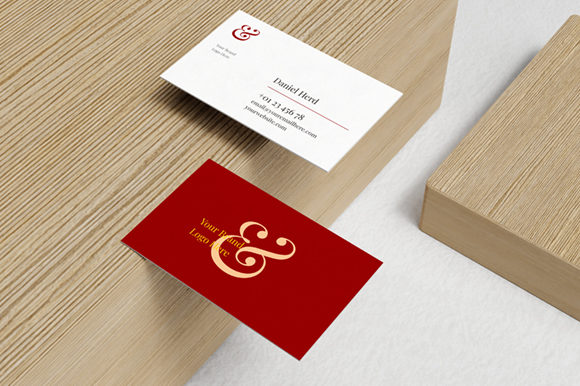
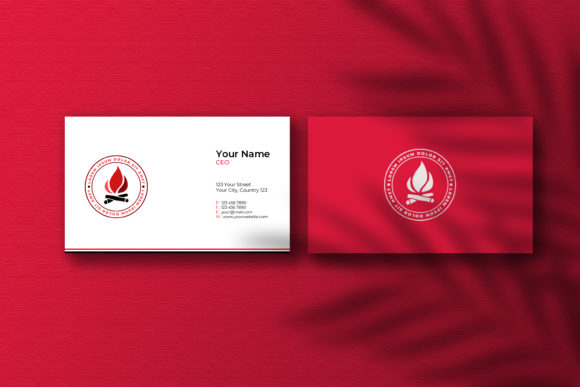
A business card mockup is a digital representation of how your business card will look when printed. It allows you to visualize your design in a realistic setting, helping you make informed decisions before finalizing your print-ready file. Mockups are especially useful for designers who need to showcase their work to clients or for businesses looking to test different layouts and colors.
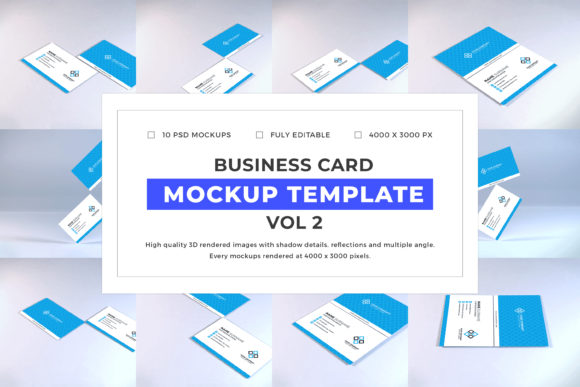
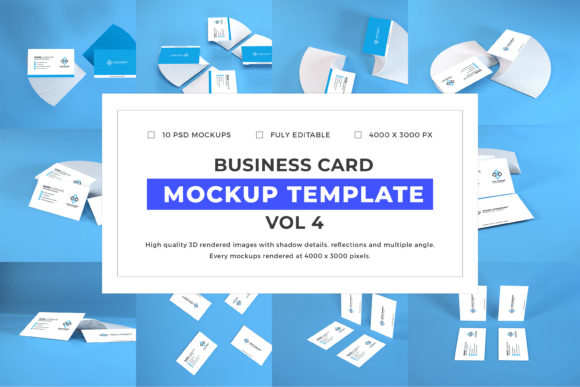
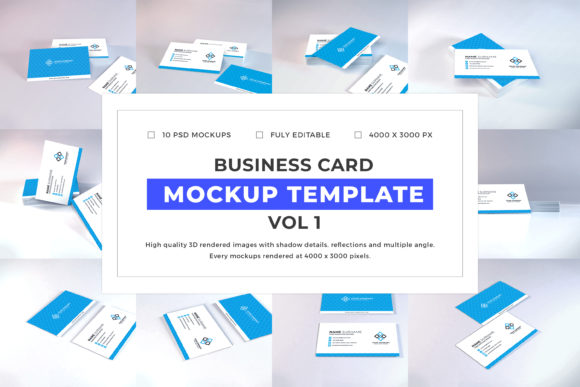
The Business Card Mockup Bundle Vol 1 provides a variety of high-quality mockups that cater to different industries, styles, and preferences. Whether you're designing for a corporate office, a creative agency, or a small startup, this bundle has something for everyone.
Main Features of the Business Card Mockup Bundle Vol 1
This bundle stands out due to its comprehensive set of features, making it a valuable asset for both beginners and experienced designers. Here are some of the key features:
- 10 PSD Files: Each mockup is provided as a separate Photoshop (PSD) file, allowing for maximum flexibility and control over your design.
- Editible Colors: The mockups come with customizable color options, so you can match your brand's color scheme effortlessly.
- Easy to Use: Designed with user-friendliness in mind, these mockups are straightforward to edit, even for those with limited design experience.
- Smart Object: The use of smart objects ensures that your design remains sharp and clear, regardless of the size or resolution.
- High Resolution: With a resolution of 4000 × 3000 pixels, each mockup delivers crisp, professional results suitable for both digital and print use.
- Organized Layers: The layers in each PSD file are neatly organized, making it easy to locate and adjust specific elements of your design.
- Fully Customizable: From background textures to lighting effects, every aspect of the mockups can be tailored to fit your vision.
Why Choose the Business Card Mockup Bundle Vol 1?
The Business Card Mockup Bundle Vol 1 is more than just a collection of templates—it’s a complete design toolkit. Its versatility and quality make it an excellent choice for a wide range of users. Here’s why this bundle is worth considering:
Enhanced Presentation: By using mockups, you can present your designs in a professional and visually appealing way. This not only impresses clients but also helps them understand how the final product will look in real life.
Time-Saving: Instead of spending hours trying to create a realistic layout from scratch, the mockups provide a ready-made framework that you can customize in minutes.
Consistency Across Projects: With 10 different templates, you can maintain a consistent visual identity across multiple projects while still offering variety and creativity.
Cost-Effective: Purchasing a bundle like this is often more affordable than buying individual mockups. It also saves you the hassle of searching for and purchasing multiple resources separately.
How to Use the Business Card Mockup Bundle Vol 1
Using the Business Card Mockup Bundle Vol 1 is a straightforward process. Follow these simple steps to get started:
- Open the File: Launch Adobe Photoshop and open one of the PSD files included in the bundle.
- Check for Layers Marked with Green Colors: These layers are typically designated for your custom design. Make sure they are visible and properly positioned.
- Double Click on the Smart Object Thumbnail: This action will open a new tab containing the smart object layer, which is where you’ll paste your design.
- Paste Your Design: Copy your business card design and paste it into the smart object layer. Ensure that it fits within the designated area.
- Close the .PSB File: Once your design is in place, close the smart object tab to return to the main mockup file.
- Save It (Ctrl + S): Save your edited mockup to preserve your changes.
- Enjoy: View your customized mockup and share it with clients or colleagues to get feedback or finalize your design.
Common Misconceptions About Business Card Mockups
Despite their usefulness, there are some common misconceptions about business card mockups that may prevent people from using them effectively. Let’s address a few of these:
Misconception 1: Mockups Are Only for Professionals. While many designers use mockups, they are also incredibly useful for non-designers. Anyone looking to present their work in a polished way can benefit from using these templates.
Misconception 2: Mockups Are Too Complex to Use. This is not true. The Business Card Mockup Bundle Vol 1 is designed with simplicity in mind, making it accessible to users of all skill levels.
Misconception 3: Mockups Are Just for Printing. While mockups are great for print preparation, they are also useful for digital presentations, social media, and portfolio showcases.
Real-World Applications of the Business Card Mockup Bundle
The Business Card Mockup Bundle Vol 1 can be applied in various real-world scenarios. Here are a few examples:
- Freelancers and Independent Contractors: Freelancers can use mockups to showcase their work to potential clients, making it easier to secure new projects.
- Small Businesses: Small businesses can use the mockups to create professional-looking business cards that reflect their brand identity.
- Design Agencies: Design agencies can use the bundle to present different design concepts to clients, helping them visualize the final outcome.
- Students and Educators: Students studying graphic design can use the mockups to practice their skills, while educators can use them as teaching tools.
Conclusion
The Business Card Mockup Bundle Vol 1 is a valuable resource for anyone involved in design, marketing, or business. With its 10 different mockup templates, high-resolution files, and user-friendly features, it offers a versatile solution for creating professional-looking business cards. Whether you’re a seasoned designer or a beginner, this bundle can help you elevate your work and make a lasting impression.
By understanding how to use these mockups effectively, you can save time, improve your design presentation, and enhance your overall workflow. As the demand for high-quality visual content continues to grow, having access to tools like the Business Card Mockup Bundle Vol 1 becomes increasingly important. So, take advantage of this powerful resource and start creating stunning business cards today.